
Applies To: AOEU students with an active AOEU Google student email account (yourname@students.theartofeducation.edu).
Solution: Your AOEU student email is a Google (Gmail) account managed by The Art of Education University. You can update your password directly through your Google Account settings by following the steps below.
Steps
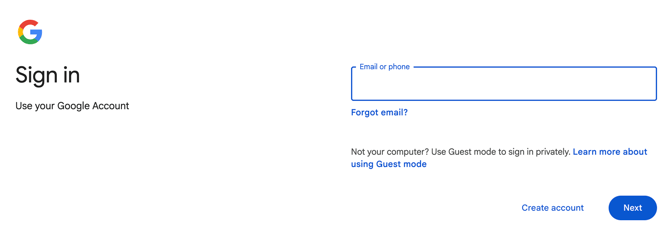
1. Go to myaccount.google.com and sign in with your AOEU student email address if prompted.
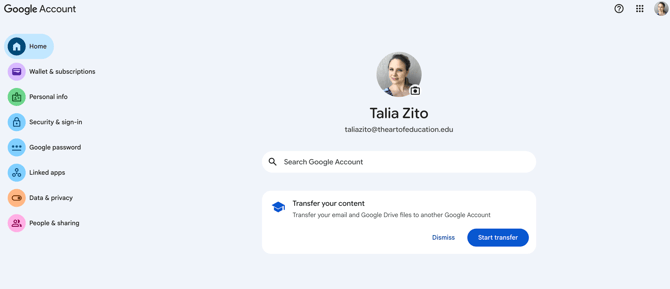
2. Click Google Password in the left-hand navigation menu.
3. Enter your new password in the "New password" field, then re-enter it in "Confirm new password". *Passwords must be at least 8 characters and should include a mix of letters, numbers, and symbols.
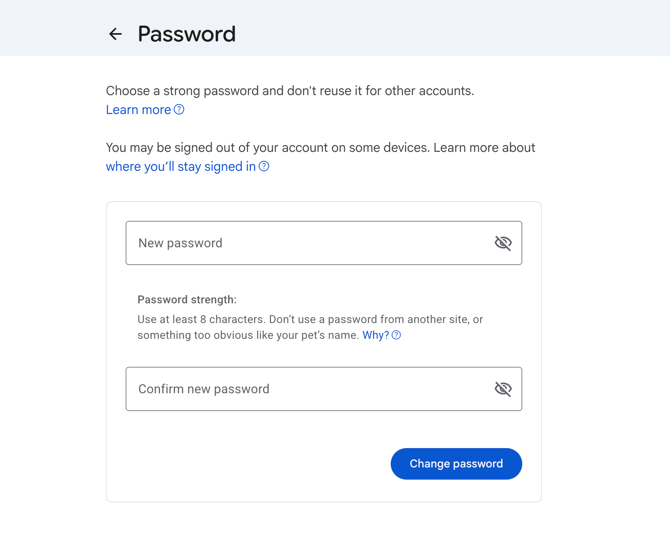
6. Click Change Password.
7. You will see a confirmation message. Your new password is now active.
If you need additional help, reach out to AOEU Support at help.theartofeducation.edu.